
Your garden already knows what it wants.
Draw your garden, place your plants. The app watches over who gets on with whom, tells you what to sow this month, and warns you about what's coming tomorrow.

iPhone, iPad, Mac and Vision Pro · No account · Even with no signal
Draw your garden the way it really is
Open ground, mounds, raised beds, a pot on the balcony. You create your beds, you place your plants, and the plan is drawn to scale.
- You know your dimensions? The app tells you how many plants fit inside.
- You know your quantities? It tells you what size you need.
Drag the slider: the bed fills up and empties through the year.
Every plant has its own story
What's already in the ground, what's waiting its turn, what you pulled up last week. You always know where each plant stands.
And when you don't know where to start: tell it what you'd like to eat this summer. It sorts out the rest, keeping apart the ones that can't stand each other. Then it shows you what it avoided — you're free to overrule it.
Several plans for the same bed? You mark the one that's in the ground. And if a plot stays empty for a few months, the app suggests what to put there.
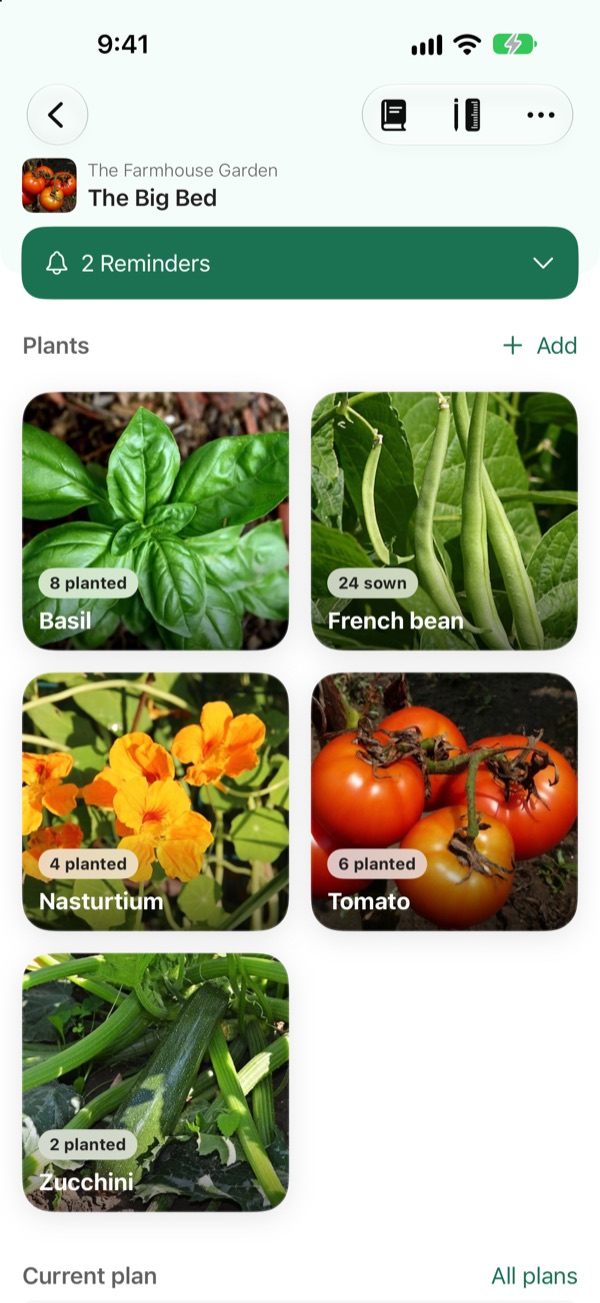
Some plants help each other. Others can't stand each other.
Basil protects your tomatoes. Fennel smothers them. Pick two plants and see what happens between them.
Good pairing
Basil keeps aphids and whiteflies away. In return, the tomato shades it through the hottest hours.
In the app, every pairing says where it comes from.
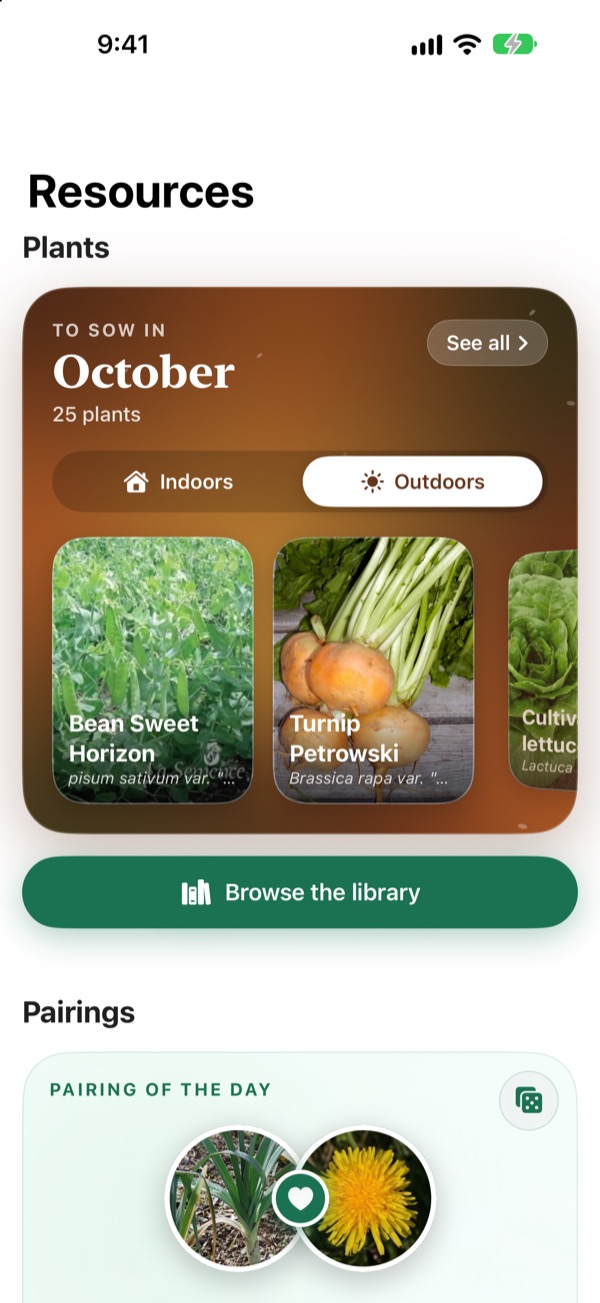
Every day, a new pairing to discover in the Resources tab.
What they actually do to each other
One repels aphids, the other brings in the bees. This one feeds the soil, that one takes all the light. The app tells you which of those ties links your two plants, in plain words.
A bed's report card
Good, neutral, bad. At a glance you know whether your bed holds together — and which plant is going to spoil it.
And when it doesn't know, it says so
Every piece of advice says where it comes from. And when the reason is missing, the app would rather admit it than make one up.
The garden reminds you what it expects from you
What to sow this month, what's still to water, and the frost arriving in three days. Without having to look for any of it.
Indoor sowings on one side, outdoor sowings on the other, each plant with its photo and its page. You open it, it's there.

Your garden logbook
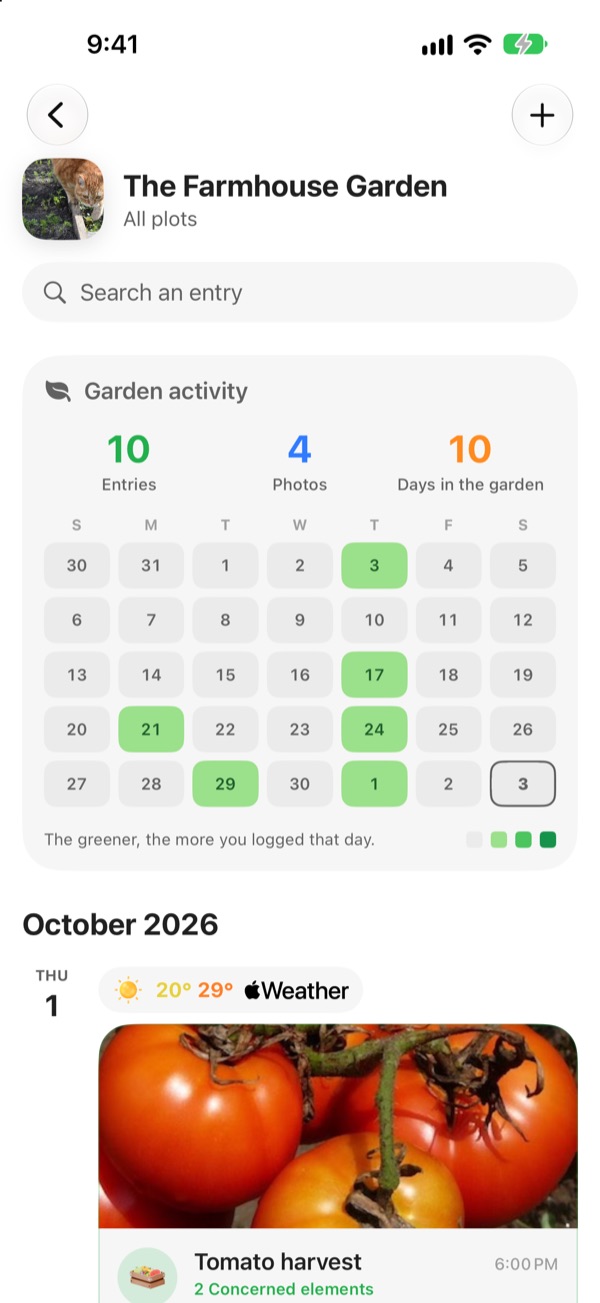
What you sowed, watered, mulched, harvested. What caught the disease and what gave you three kilos. With the photos.
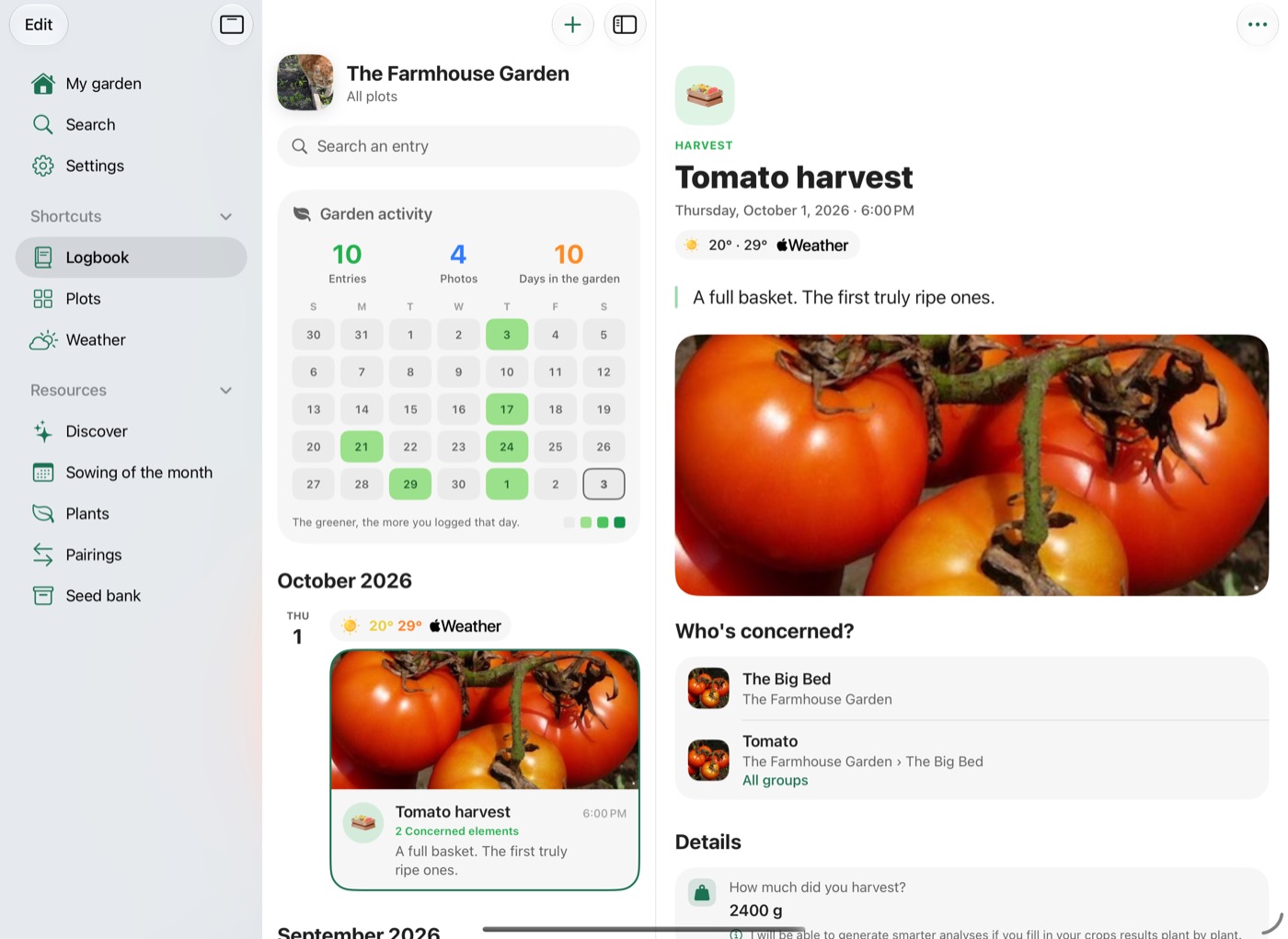
At the top, your last five weeks at a glance: the greener a day, the more you noted that day. With Permaculture+, each day also keeps the weather it had. Next year, you'll know.
Reminders
Water, sow, transplant, harvest. Once, or every three days for a fortnight.
On the whole garden, or on a single tomato plant. As many as you like, even without Permaculture+.
Your garden's weather
Your garden's next ten days: you know whether to bring out the watering can tonight, and whether frost is coming this week.
Tell me if it drops below 2 °C, if more than 10 mm of rain falls, if a thunderstorm or strong winds are coming: you set your own alerts. With Permaculture+. Weather provided by Apple Weather.
Find anything
One search for the whole garden: plants, seeds, plots, reminders and logbook entries.
In the Search tab, on iOS 26.1 or later.
Your seed packets, finally sorted
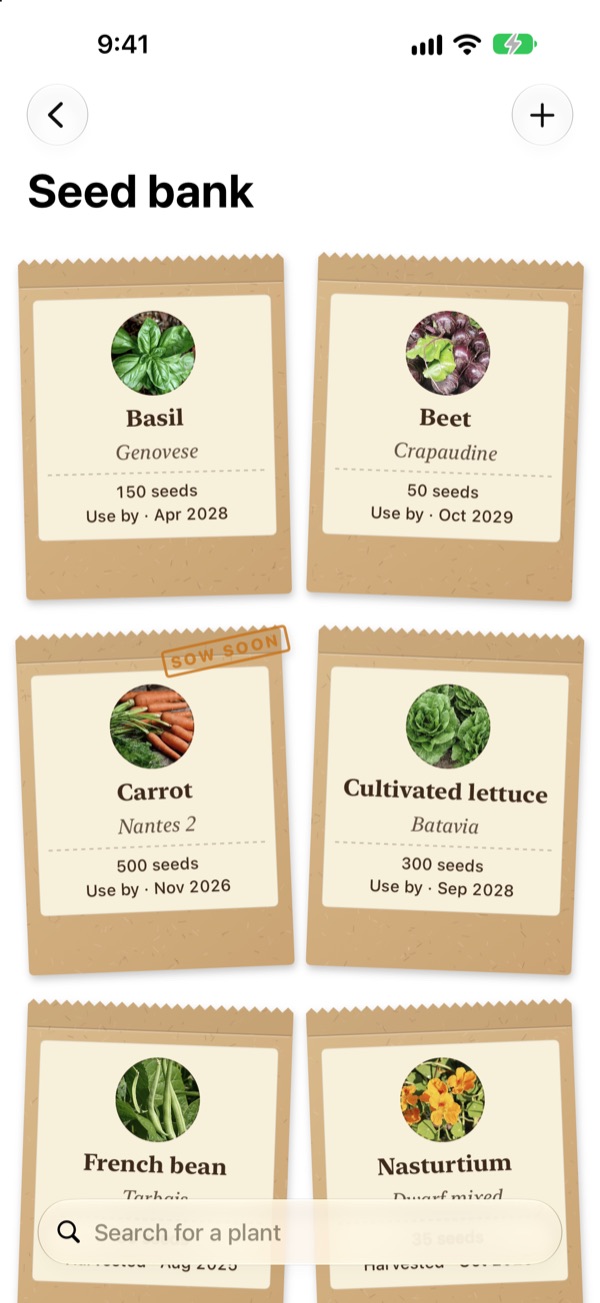
The back of the drawer, tidied up. Every packet has its card: the plant, the variety, the number of seeds, the harvest date, the use-by date and your notes.
- “Sow soon”: the stamp shows up when a packet expires in less than three months.
- Looking for your bean seeds? Type the name, the packet comes up.
Free, with no limit on packets.
On iPad, your garden gets the whole screen
A sidebar to jump from the logbook to your plots and the weather, and two columns to read an entry without losing the list.
Open several windows, each on its own garden. On iPhone, the app turns to landscape too. And it runs on Mac and on Apple Vision Pro.
Your garden stays with you
Your garden belongs to you. The app is built so that stays true.
No account
You download it, you open it, you garden. Nothing to create, nothing to confirm, no password to remember.
Even with no signal
At the bottom of the garden, under the greenhouse, out in the countryside. The app answers just the same, one bar or none.
Nothing to sell
We sell nothing on, and we're not trying to work out who you are. What you plant is nobody's business but yours.
The detail, plainly put: our privacy policy.
Permaculture+
The app may well be enough as it is. If you want to go further, here's what it opens up.
| Free | With Permaculture+ |
|---|---|
| One garden | As many gardens as you like |
| Layouts up to 5 plants | Up to 50 plants |
| Plans up to 2 m | Plans up to 15 m |
| — | Your garden's weather: ten-day forecast, alerts and history |
| — | Suggestions to fill a plot's empty months |
| — | Search inside your journal |
Reminders and the seed bank stay unlimited in the free version.
One purchase. For life. Shareable with your family, up to six people in the household.
Your support keeps us going: we still have plenty of projects in the drawer. Made in France, by Ovega.
Frequently asked questions
Does it work without internet?
Yes. Your gardens, your plants, your logbook and the sowing calendar answer without a single bar of signal. You need a connection for the weather, since it comes from tomorrow's sky, for iCloud sync and to buy Permaculture+.
Do I need to create an account?
No. No account, no password, no email address to hand over. You open the app and you start.
Is my data kept if I change device?
Yes, as long as you turned backup on in the app: your garden finds you again on the new device, and follows you from one to the next. Do turn it on before you switch.
I'm a beginner, is this too technical for me?
No. You can simply note down what you plant: the app handles the rest and explains every piece of advice in plain language. And for about forty plants, a step-by-step guide walks you through each job.
Does it work for a balcony?
Yes. Garden, balcony, greenhouse, indoors or a bit of everything: a bed can be open ground, a mound, a raised bed or a pot standing clear of the soil.
My plant isn't in the list, what do I do?
You create it. Name, photo, needs, sizes, your own advice and your own growing periods. You can even attach it to the tree of life: it will then be taken into account in the pairing calculations like any other.
I had a Tomate & Basilic account. Do I lose my garden?
No. In Settings → Manage account, sign in one last time: the app brings your gardens, plants, reminders, logbook and photos back onto your device. You can then delete that account in the same place.
Is there a subscription?
No. Permaculture+ is a one-off purchase, for life, shareable with your family up to six people in the household. The price is shown on the App Store.
Is it available on Android?
No. Tomate & Basilic is an Apple app: iPhone and iPad from iOS 17.6, Mac with Apple silicon from macOS 14.6, and Apple Vision Pro.